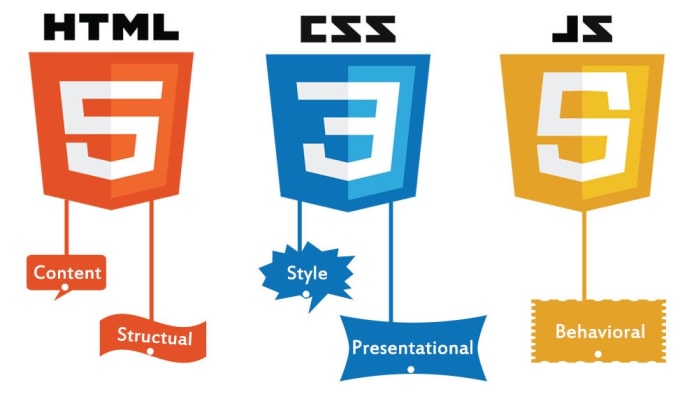
The HTML, CSS, and JavaScript Course at Aptech Computer Training in Dubai & Sharjah is designed to equip learners with the skills to create responsive, dynamic websites. Covering essential web development technologies, this course helps you master HTML, CSS, and JavaScript to build interactive and visually appealing web pages. Gain hands-on experience and earn a KHDA-recognized certification to advance your web development career.
HTML, CSS & JavaScript Course Overview
The HTML CSS JavaScript Course at Aptech Computer Training in Dubai & Sharjah is a comprehensive and highly sought-after training program designed to provide learners with practical skills and theoretical knowledge essential for modern web development. Covering HTML, CSS, and JavaScript, this course equips participants with the ability to build responsive, dynamic, and user-friendly websites from scratch. Whether you are an absolute beginner or a professional looking to enhance your front-end development skills, this course offers an ideal pathway to achieve your goals.
Learn HTML, CSS, and JavaScript — the core technologies that power the web — and gain hands-on experience in building interactive websites. From creating engaging web designs to implementing advanced functionalities with JavaScript, you will master the essential skills required to thrive as a professional web developer.
Enroll in the Best HTML CSS JavaScript Course at Aptech Computer Training in Dubai & Sharjah and enhance your career prospects with comprehensive training from industry experts. Gain a recognized KHDA Attested HTML CSS JavaScript Course Completion Certification and become proficient in building websites compatible with modern standards and devices.
Introduction To Web Designing
An introduction to HTML and CSS
Tools for web development
Coding, Testing, And Validating A Web Page
The HTML syntax
The CSS syntax
How to test, debug, and validate HTML and CSS files
How To Use Html To Structure A Web Page
The head section
Text elements
Structuring the content of a page
Links, lists, and images
Structured web pages
Using Css To Format The Elements Of A Web Page
An introduction to CSS
Measurements and colors
Selectors
Cascading Style Sheets
How to work with text A web page that uses external style sheets
How To Use The Css Box Model For Spacing, Borders, And Backgrounds
An introduction to the box model
How to size and space elements
A web page that illustrates sizing and spacing
Borders and backgrounds
A web page that uses borders and backgrounds
How To Use Css For Page Layout
Floating elements in 2- and 3-column layouts
Two web pages that use a 2-column, fixed-width layout
Using CSS3 to create text columns
Positioning elements
Lists And Links
Coding lists
Formatting lists
Working with links
Navigation menus
Responsive Web Design
Introduction to Responsive Web Design
Fluid design
CSS3 media queries
A web page that uses Responsive Web Design
Images
Basic skills for working with images
Advanced skills for working with images
Related skills for working with images
Tables
Basic HTML skills for coding tables
Basic CSS skills for formatting tables
Other skills for working with tables
Forms
How to use forms and controls
Other skills for working with forms
How to use the HTML5 features for data validation
How to use the HTML5 controls
A web page that uses HTML5 data validation
Audio And Video
An introduction to media on the web
How to add audio and video to a web page
A web page that offers both audio and video
Fonts And Printing
How to embed fonts in a web page
The skills for formatting printed web pages
A two-column web page with print formatting
Css3 Transitions, Transforms, Animations, And Filters Html5 & Css3 Conclusion
Developing Interactive Web Pages (Javascript)
Introduction To Javascript
Getting Started with JavaScript
Client-Side and Server Side Application
JavaScript In a Browser
JavaScript on a Web Server
Comparing JavaScript with other Scripting
Specifying JavaScript Version
Integrating JavaScript Version
Adding Comments
Hiding Script Using Comments Tags
tags
The [removed]tag’s “SRC” Attributes
Using JavaScript Entitles
Variables
Type Casting
Conversion Functions
Programming Constructs And Functions
Arrays
Operators
JavaScript Statements
Functions
Events
Event Handlers in JavaScript
Link Events
Body Events
Image Events
Events Associated with other HTML Elements
Event Handling And Javascript Object
Object Model
Browser Object
The Window Object
The Document Object
The History Object
The Navigator Object
The location Object
Discuss various JavaScript Predefined Objects
Create an Array Object and apply its method
Create a String Object and apply its method
Create a Date Object and apply its method
Predefined Javascript Objects
Create a Boolean Object and apply its method
Create a Function Object and apply its method
Use the Math and Global Objects
Create a user-defined object and add properties methods to the object
The Image Object
Handle exceptions
Form object elements.
The List properties and methods
The form array of the document object
The element array of form object
Who Can Enroll?
This course is ideal for:
Beginners: Individuals with little or no programming knowledge.
Aspiring Web Developers: People aiming to build a career in web development.
Graphic Designers: Looking to expand their skills in web design.
Professionals: Developers looking to enhance their front-end skills.
Students: Planning to build a solid foundation in web technologies.
Course Outcomes
By the end of the course, you will:
Master the fundamentals of HTML5, CSS3, and JavaScript.
Build responsive and visually appealing web pages.
Design and implement user-friendly forms and tables.
Enhance user interaction through JavaScript events and animations.
Apply advanced CSS techniques like transitions and transforms.
Develop web applications .
Why Choose This Course?
Comprehensive Curriculum: Covers all aspects of front-end development.
Hands-On Projects: Build projects to solidify your skills.
Experienced Instructors: Learn from experts.
Flexible Learning Options: Study online or offline at your convenience.
Eligibility & Prerequisites
Basic Computer Knowledge: Familiarity with operating systems and internet usage.
No Prior Coding Experience Required: The course is designed for beginners.
Recommended Skills: Logical thinking and creativity.
Write a public review