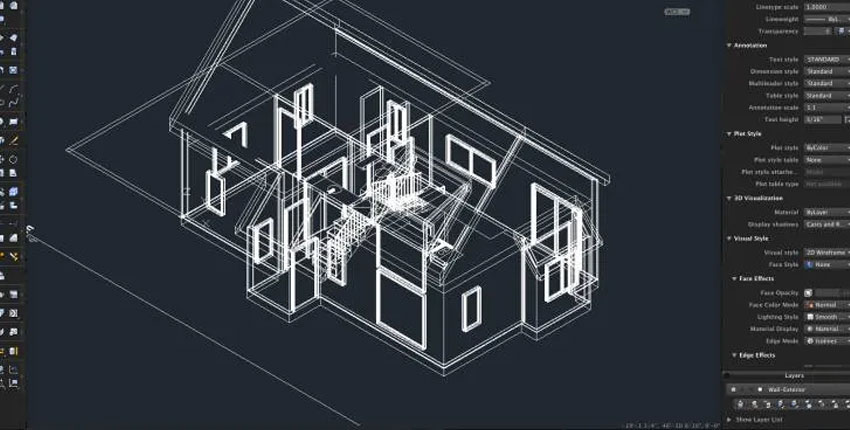
Computer-Aided Design (CAD) with Aptech's AutoCAD Course in Dubai & Sharjah. Learn to create precise 2D and 3D drawings essential for architecture, engineering, and design. Gain hands-on experience with advanced AutoCAD techniques, including layers, blocks, annotations, and rendering. Earn a KHDA-recognized certification and enhance your career with practical skills for the design and drafting industry.
AutoCAD Course Overview
Master the art of Computer-Aided Design (CAD) with the AutoCAD Course offered by Aptech Computer Training, a highly regarded training institute with branches in Dubai & Sharjah. Aptech is renowned for providing top-quality training programs and KHDA-recognized certifications. With the AutoCAD Course, you will gain essential skills for creating precise and professional 2D and 3D drawings, widely used in architecture, engineering, interior design, manufacturing, and beyond.
At Aptech Computer Training, we offer hands-on training that takes you from the basics of AutoCAD to advanced techniques. You will learn to work efficiently with layers, blocks, annotations, hatches, parametric drawing, plotting, rendering, and more. Our expert instructors will guide you through practical assignments and real-world projects, ensuring you gain the skills needed to excel in the design and drafting industry.
Learning Outcomes
By successfully completing the course the participant will be able to do:
Draft any type of Technical Drawings
Add Annotations
Take Measurements
Print/ Plot the Drawings
Work with Layers & Blocks
Visualize the Drawings with 3D Tools
Introduction To Autocad
Getting familiar with the interface
Using the Ribbon
Using application Menu
Using Drop-Down menus
Using Tool bars
Workspace
Quick tour
2D Modeling
Understanding Drafting Tools/Methods
Line, Rectangle, Circle, Ellipse, Arc…
Coordinates
Multifunctional Grips
Setting Up A Drawing
Drawing Units
Drawing Size
Drawing Limits
Drawing Tools/ Modifiers
Create & Edit Polyline
Copy
Mirror
Scale
Lengthen
Organizing Drawing With Layers
Setting up Layers
Line types
Controlling the drawing with Layers
Using Blocks
Creating Blocks
Creating Attributes
Creating Dynamic Blocks
Creating Text
Single line text.
Multiline Text
Making new styles, Effects, Fonts, height.
Editing existing text
Array
Path Array
Rectangular Array
Polar Array
Tables
Table styles
Dimensions
Dimensions for distance
Horizontal & Vertical Directions
Rotated option
Aligned dimensions
Radial & Diameter dimensions
Dimension styles
Editing Dimensions
Stretching dimensions using grip editing
Hatches
Creating new hatch objects
Hatching over view
Gradients
Selecting the pattern
Editing existing HATCH objects
Parametric Drawing Techniques
Getting Data From Drawings
Finding Area
Getting General Information
Exchanging Data from Drawings
Using the DXF File Format to Exchange
Using AutoCAD Drawings in Desktop Publishing
Combining Data from Different Sources
Organizing your Work
Working In Viewports
Using the Layout Tabs and Paper Space
Working with Paper Space Viewports
Printing Your Drawing
Adding an Output Device
Understanding the Plotter Settings
Plotting the Plan
Working with Plot Styles
Plotting Using Layout Tabs
Managing And Sharing Your Drawings
Understanding Sheet Sets
Creating a Sheet Set from an Existing Project
Sharing Drawing over the Internet
E-Publishing your Drawings
Exchanging Data from Drawings
Output to different file formats
Autocad Ws
Uploading Drawings
Editing Drawings Online
Sharing Drawings Online
Creating 3D Geometry
Creating a 3D Drawing
Viewing a 3D Drawing
3D Surfaces
Using Other Surface Drawing Tools
Using 3D Features
User Coordinate System
Navigating 3D Viewports
Understanding Solid Modeling
Creating Solid Forms
Editing Solids
Editing Tools for Solids
Enhancing the 2D Drawing Process
Finding the Properties of a Solid
Materials
Lights
Camera
Rendering
Who Can Enroll?
Aspiring Architects
Engineers & Designers
CAD Technicians
Interior Designers
Drafting Professionals
Students & Enthusiasts of Computer-Aided Design
Course Outcomes:
Ability to draft any type of technical drawing with precision.
Proficiency in adding annotations, applying hatches, and using parametric drawing techniques.
Skills to effectively use layers, blocks, and attributes for efficient design processes.
Competence in 3D modeling and visualization.
Enhanced knowledge of plotting and exchanging data using various formats.
Career Opportunities:
CAD Designer
Draftsman
Architectural Visualizer
Civil Draftsman
Mechanical Designer
Interior Designer
3D Modeler
Why Choose Us?
Industry-Leading Training: High-quality training by experienced instructors.
KHDA-Certified Certificate: Official recognition of your skills and knowledge.
Hands-On Learning: Practical assignments and projects.
Flexible Learning Options: Study online or offline at your convenience.
Trusted Training Provider: Aptech’s reputation for excellence in education.
Eligibility & Prerequisites:
Basic computer skills.
No prior experience with AutoCAD is required.
Familiarity with design or drawing concepts is helpful but not essential.
Write a public review