Open / Close contact form

X

Enquire Now

ADOBE XD (Experienced Design) Course Overview

Course Outlines

By the end of this course, you should be able to:

  • recognize the fundamental aspects of Adobe XD
  • create and use Artboards
  • work with UI and wireframe kits
  • create and use Masks
  • work with Point and Are type
  • create and edit Vector Shapes
  • use the repeat grid function
  • create and work with Symbols
  • export Assets
  • use comments to get feedback

Course Content

Introduction To Adobe Experience Design (Xd)

  • Overview of User Experience Design (UX) vs User Interface Design (UI) – Figma & XD
  • Understanding common file formats
  • Working with the Design and Prototype views
  • Navigating around the user interface

Setting Up A Project

  • Creating Artboards
  • Arranging, editing and deleting Artboards
  • Creating additional screens for different display sizes and platforms
  • Adding layout and square grids

Ui Kits

  • Exploring Apple, Google and Microsoft user interface kits

Creating Graphics In Adobe Experience Design

  • Creating and combining simple shapes
  • Setting appearance attributes
  • Controlling corner radius values
  • Solid fill colours, gradient fills, strokes
  • Adding drop-shadows & background Blurs
  • Drawing with the Pen Tool
  • Editing points and paths
  • Creating and editing Symbols
  • Linked symbols

Adding Text To Your Design

  • Create and Format Text
  • Using Typekit fonts
  • Saving Character Styles

Adding Assets From Other Sources

  • Importing Images
  • Importing SVG files
  • Masking techniques
  • Open a layered Adobe Photoshop file
  • Using Illustrator vector graphics

Creating Accurate Layouts

  • Aligning and positioning Objects
  • Layers panel overview
  • Creating a Repeat Grid

Responsive Resize

  • Resize designs for different screen sizes
  • Set automatic and manual object constraint properties
  • Grouping elements to constrain fixed and variable properties

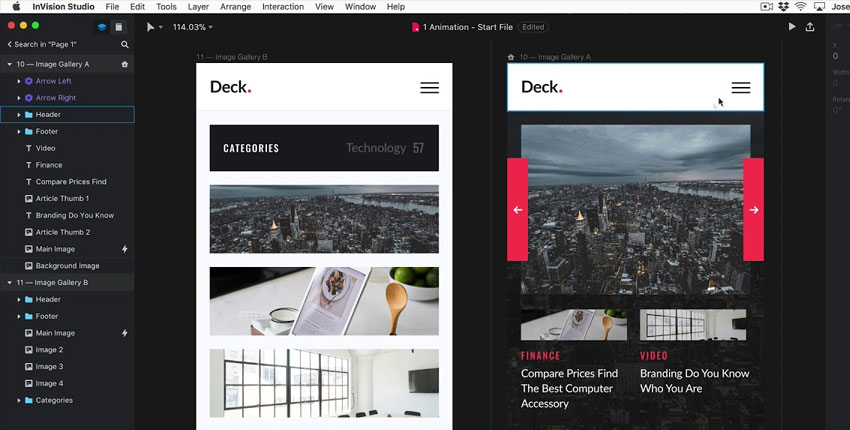
Prototyping – Adding Interactivity

  • Wireframes to interactive prototypes
  • Link and unlink screens
  • Setting screen triggers
  • Adding interactions to elements
  • Adjusting easing and duration properties
  • Auto-animate
  • Timed animation transitions
  • Prototype drag gestures
  • Overlays for side menus and keyboards
  • Preserve Scrolling
  • Fixed elements
  • Voice triggers and speech commands

Testing Your Project

  • Previewing designs in the preview window or on mobile device
  • Recording the user experience as a .mov file

Sharing Your Project

  • Share a public or private prototype
  • Allow comments and hotspots
  • Publish design Specs
  • Extract and download Asserts for developers

Export Project And Asserts

  • Exporting artwork for Web, IOS and android devices
  • Save Artboards as .png .svg and .pdf files
  • Batch Export
  • Exporting to After Effects
  • Extend Adobe XD with plugin

Designing And Prototyping Your Own Project

  • Creating your own project
  • Adding graphics and text
  • Testing and sharing your project
  • Exporting your project