Open / Close contact form

X

Enquire Now

CANVA Course Overview

Course Overview:

The Canva Mastery Course at Aptech Dubai & Sharjah helps learners create professional designs using Canva’s tools and AI features. The course covers design fundamentals, branding, image editing, videos, presentations, and marketing creatives. Ideal for beginners and professionals, it enables learners to produce brand-consistent visuals, social media content, documents, and a complete design portfolio with ease.

Who Can Enroll?

  • Students and beginners interested in graphic design
  • Marketing, social media, and content professionals
  • Entrepreneurs and small business owners
  • Anyone seeking practical Canva design skills

Course Outcomes:

  • Understand the Canva interface and design principles
  • Create structured designs using layouts, elements, and branding
  • Edit images, videos, animations, and presentations
  • Use Canva AI tools for faster content creation
  • Design professional marketing creatives and documents
  • Build a complete Canva design portfolio

Course Outline:


Module 1: Introduction To Canva & Design Basics

  • What is Canva? (Use cases & real-world applications)
  • Canva Free vs Pro vs Teams
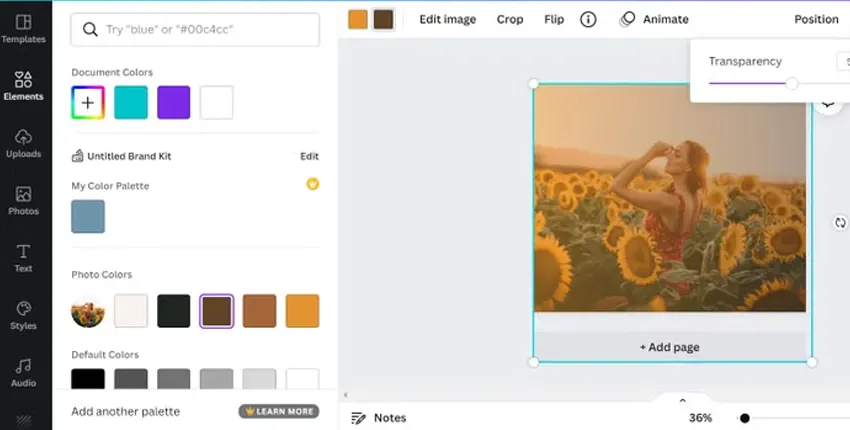
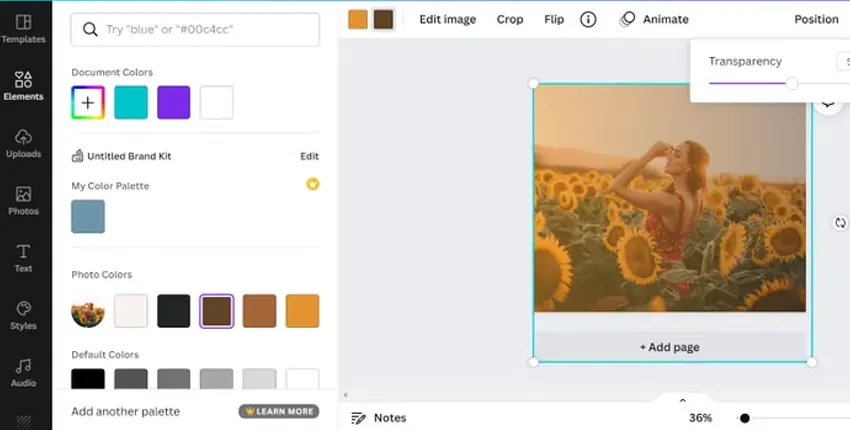
  • Canva interface overview (dashboard, editor, toolbar)
  • File types & formats (PNG, JPG, PDF, MP4)
  • Basic design principles:
  • Color theory
  • Typography basics
  • Alignment & spacing
  • Visual hierarchy
  •  Outcome: Student understands Canva environment and design fundamentals

Module 2: Working With Elements & Layouts

  • Using templates smartly (not copy-paste)
  • Shapes, icons, frames, stickers
  • Grids & layouts for clean designs
  • Backgrounds & gradients
  • Image placement & cropping
  • Layering, grouping & transparency
  • Outcome: Student creates structured, balanced designs

Module 3: Text, Fonts & Branding

  • Text styles & font pairing
  • Headings, subheadings & body text
  • Text effects (shadow, curve, glow, outline)
  • Brand Kits (logos, colors, fonts)
  • Creating consistent brand identity
  • Typography mistakes to avoid
  • Outcome: Student designs brand-consistent visuals

Module 4: Image Editing In Canva

  • Uploading & managing assets
  • Photo adjustments (brightness, contrast, saturation)
  • Background remover (Pro)
  • Magic Eraser & Magic Edit
  • Filters & photo effects
  • Image mockups & smart frames
  • Outcome: Student edits images professionally without Photoshop

Module 5: Video & Animation Design

  • Canva video editor overview
  • Creating Reels, Shorts & Ads
  • Page animations vs element animations
  • Transitions & motion timing
  • Text animation styles
  • Exporting videos for social media
  • Outcome: Student creates engaging motion content

Module 6: Presentations & Documents

  • Professional presentation design
  • Pitch decks & corporate slides
  • Infographics & reports
  • Interactive PDFs
  • Resume & portfolio design
  • Print-ready designs (bleed, margins)
  • Outcome: Student builds business-ready presentations & documents

Module 7: Canva Ai & Smart Tools

  • Magic Write (AI copy)
  • Text-to-image
  • Brand Voice
  • Resize designs instantly
  • Content planning with Canva
  • Outcome: Student uses Canva AI for speed & productivity

Module 8: Social Media & Marketing Creatives

  • Instagram posts, stories & reels
  • YouTube thumbnails & banners
  • Facebook & LinkedIn creatives
  • Ads & promotional posters
  • Content calendar design
  • CTA-focused visuals
  • Outcome: Student designs marketing creatives that convert

Module 9: Advanced Canva Techniques

  • Custom templates creation
  • Design systems
  • Canva Teams collaboration
  • Client workflow & sharing
  • Version control
  • Export optimization for different platforms
  • Outcome: Student works like a professional designer

Module 10: Practical Projects & Portfolio

  • Logo design project
  • Social media campaign pack
  • Brand kit creation
  • Video ad project
  • Presentation / pitch deck
  • Final portfolio showcase
  • Outcome: Student leaves with real projects + portfolio

Career Opportunities:

  • Graphic Designer (Canva-based)
  • Social Media Designer
  • Marketing Creative Executive
  • Content Creator
  • Design Support Specialist

Why Choose Us?

  • Professional Trainers: Clear guidance from trainers skilled in Canva design and tools
  • Complete Canva Curriculum: Covers design, branding, video, presentations, AI tools, and advanced workflows
  • Structured Learning Approach: Step-by-step modules suitable for beginners and professionals
  • Convenient Locations: Available at our Dubai & Sharjah branches

Eligibility / Requirements:

  • Eligibility / Requirements:
  • Basic computer knowledge
  • No prior design experience required

Overview:

The CANVA Mastery Course at Aptech Computer Training, offered at our Dubai & Sharjah branches, is designed to help learners master Canva design fundamentals, layouts, branding, image editing, video creation, presentations, and Canva AI tools. This course provides a clear understanding of the Canva interface, tools, file formats, and essential design principles such as color theory, typography, alignment, spacing, and visual hierarchy.

Students will learn how to create professional visuals, marketing creatives, social media designs, presentations, and documents using Canva. The course also covers video and animation design, Canva AI smart tools, content planning, and advanced workflows including custom templates and collaboration features. By the end of the course, learners will be able to design structured, brand-consistent visuals and build a strong design portfolio using Canva.